PencilKit-Style Floating Chrome
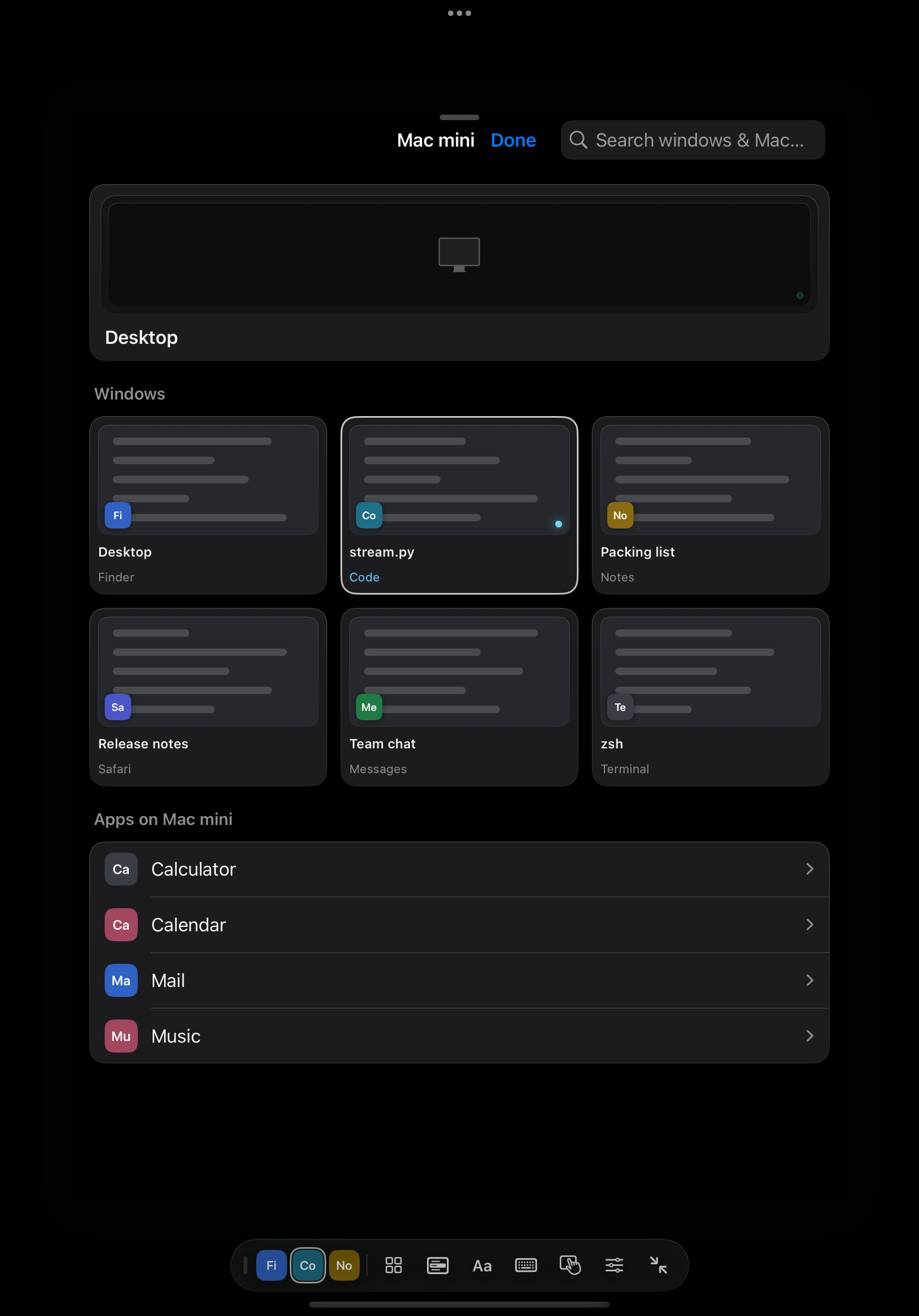
One unified tactile capsule that docks to all 4 edges (morphing horizontal ↔ vertical), collapses into a 48×48 corner orb the moment you drag, and starts at the bottom so Mac toolbars stay unobstructed.

A tactile, Liquid Glass reimagining of Sill’s iOS & iPadOS client — built directly on top of Noah Saffer’s open-source Sill, using the exact same free Mac companion and encrypted peer-to-peer protocol.
All credit for Sill belongs to Noah Saffer (Saffsanity/sill). This project is my own personal take on the iOS & iPadOS interface — exploring a unified floating PencilKit chrome, Liquid Glass icon, and tactile obsidian UI on top of his Mac host and protocol.
This build has only been tested on my own devices (iPhone 17 & iPad Pro 10.5″). Other screen sizes, foldables, or edge cases may have rough spots. For the battle-tested official release, use Noah’s official Sill.
One unified tactile capsule that docks to all 4 edges (morphing horizontal ↔ vertical), collapses into a 48×48 corner orb the moment you drag, and starts at the bottom so Mac toolbars stay unobstructed.
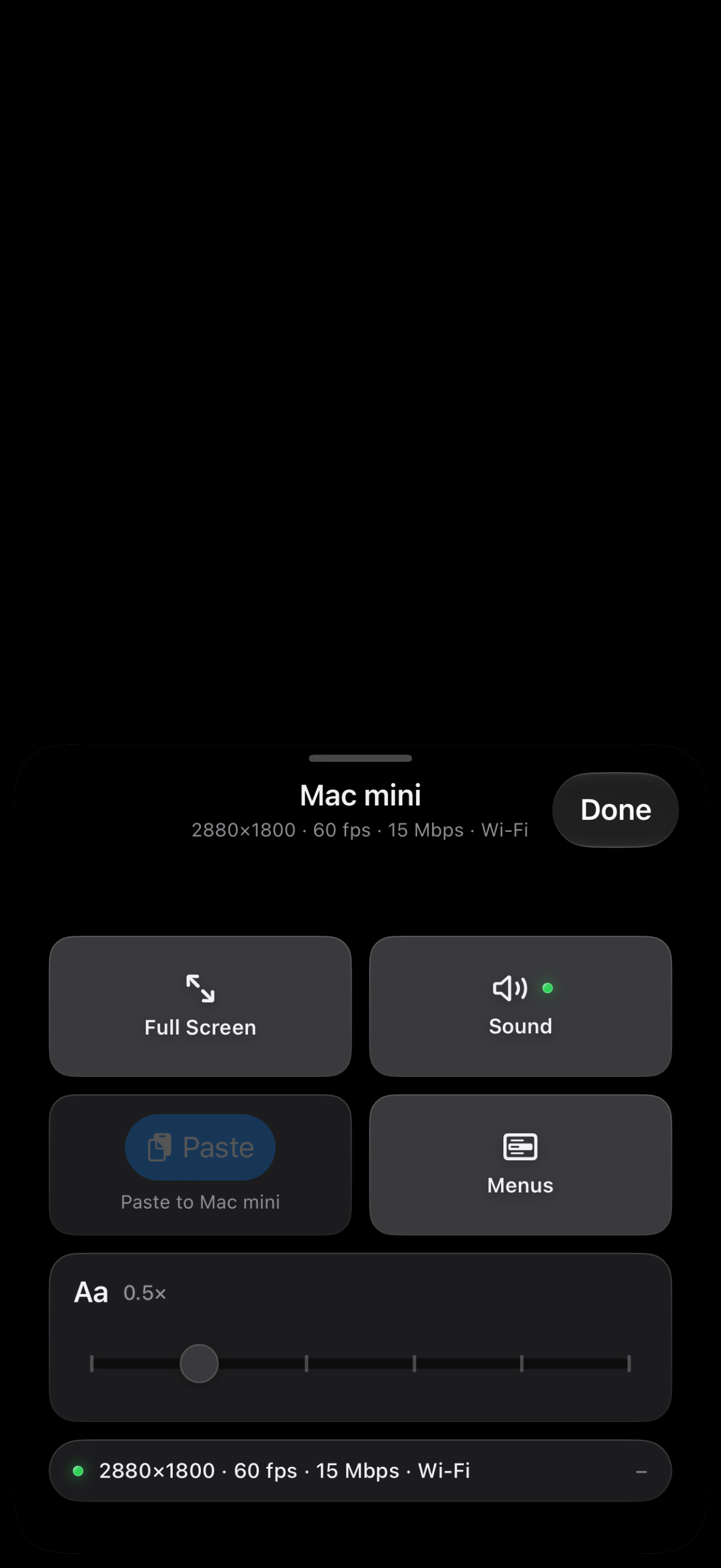
Retired separate phone vs. iPad chrome modes. Narrow widths adapt into a compact floating pill with a bottom-anchored Control Deck; wide screens pair the full palette with a draggable floating trackpad.
Native Liquid Glass bars, toolbars, sheets, and a layered Icon Composer 2.0 app icon, backed by a single obsidian & anodized-graphite token system in TactileStyle.swift.
No accounts, no servers, no subscriptions. Speaks the exact same encrypted sill/1 wire protocol as Noah Saffer’s official Mac companion app.
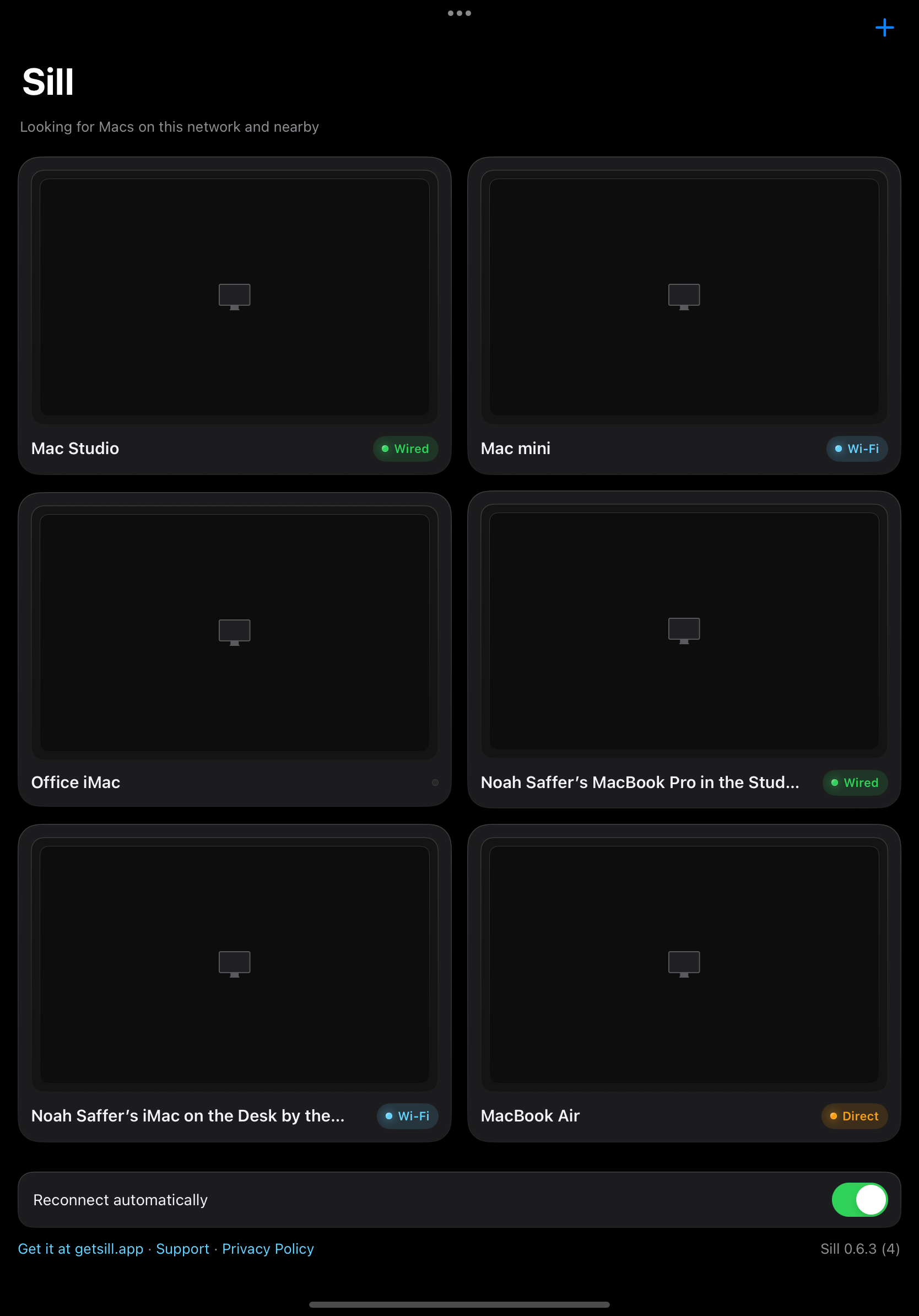

Download Noah Saffer’s free Mac companion app from getsill.app and grant Screen Recording & Accessibility.
Install Sill Tactile on TestFlight (com.uxheavy.sill — installs cleanly alongside the official Sill app).
Tap your Mac on the same network (or over USB / Tailscale), scan the one-time pairing code, and flick the floating bar to any edge or corner.